




|
Name |
Pixel Player |
|---|---|
|
Google Play Link |
GET IT ON
Google Play
|
|
Category |
Tools |
|
Developer |
M2017D |
| Last version | 1.7.0 |
|
Updated |
|
|
Compatible with |
Android 5.0+ |
Introduction to Pixel Player APK
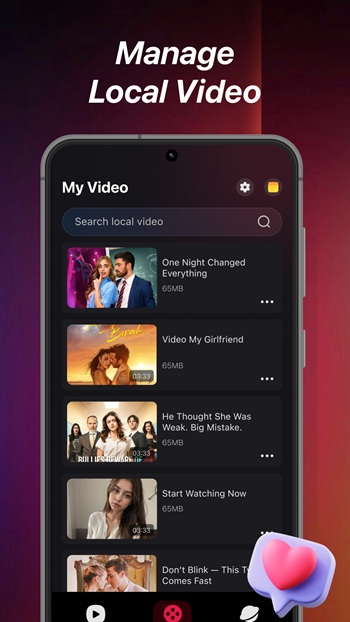
Pixel Player APK is a mobile video player app built for offline and quick-access viewing. It focuses on playing locally stored HD videos smoothly while also giving users a simple way to browse and load online video sources through a built-in web mode. The app fits users who keep media files on their phones and want fast playback without heavy setup.
The main job of this app is local video playback. It supports high-resolution files and uses efficient decoding to keep videos running without stutter on most modern Android devices. You can open stored movies and clips directly, skip around the timeline, and watch without needing a constant internet connection. That makes it handy for travel, commutes, or low-signal areas.
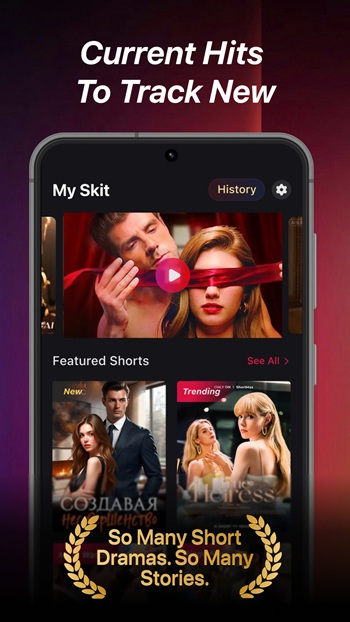
Pixel Player APK also highlights short and trending video content inside its interface. Instead of forcing users to search across many platforms, it surfaces popular clips in a lightweight, scroll-friendly layout. This suits people who prefer quick viewing sessions instead of long movies. The layout is simple, with large controls and minimal clutter.
Another useful part is the integrated browser mode. With one tap, users can switch from local playback to web browsing to find additional video resources. This saves time because there is no need to jump between separate apps. It works well for users who often move from saved files to online streams in the same session.
Key strengths include smooth HD playback, support for multiple local formats, and an easy learning curve. The controls are clear, and most features are reachable in a few taps. The app stays lightweight compared to many full media centers, so it runs well on mid-range phones.
There are also a few trade-offs to know. Advanced media library tools like deep tagging or automatic metadata matching may be limited. Streaming features depend on the websites you open in the built-in browser, so quality and stability can vary. Users who want heavy customization or pro editing tools may find it too basic.
This app fits users who store videos on their device, watch short clips often, or want a simple all-in-one playback and browsing combo. It’s useful for students, travelers, and casual viewers who want quick access to video without complex setup.
FAQs Pixel Player
What is Pixel Player used for?
+
Pixel Player is used to play locally stored HD videos on mobile devices and quickly access online video sources through a built-in browser mode.
Does Pixel Player APK support offline video playback?
+
Yes. It is designed to run videos saved on your device without needing an internet connection during playback.
Can Pixel Player open different video formats?
+
It supports many common HD video formats and uses efficient decoding to keep playback stable on most Android phones.
Does Pixel Player include online video browsing?
+
Yes. It has an integrated browser view that lets users load and watch web-based video sources inside the app.
Who should use Pixel Player APK?
+
It suits users who keep video files on their phone, watch short clips often, and want a lightweight player with simple controls.
Discover More Interesting Apps
-
 Mod
Mod
Auto Cursor
v1.12.1
8.08 Mb
Updated -
Mod
Space Micro Panel
v2.1
33 MB
Updated -
Mod
Playstore App
v52.9.21-24 [0] [PR] 968642861
106020565
Updated -
Mod
NetherSX2 Emulator
v1.0.0
27794177
Updated -
Mod
LITRON VPN
v3.5.9
33.75 Mb
Updated -
Mod
Side Bar
v2.21
6.27 Mb
Updated -
Mod
Tevi
v3.36.9
178.82 Mb
Updated -
H4X Macro Game Booster Pro
v6.2.8
12.00 Mb
Updated -
App Hider
v3.16.1_be89ad4bd
35.86 Mb
Updated -
Mod
Blokada
v26.9.1062
189.00 Mb
Updated










Share Your Thoughts